
The Fleet Management section is where Orbify transitions from a general data platform into a personalized intelligence tool. By grouping vessels into custom "Fleets," users can cut through the noise of the global LNG market and focus exclusively on the assets that impact their specific business goals.
1. Organizing Your Assets
The core of this section is the ability to create and manage dedicated lists of vessels. You can organize your oversight into logical categories such as:
Regional Strategy: Grouping vessels by specific trade routes (e.g., "Qatar to EU - Post Conflict").
Competitor Analysis: Tracking specific entities (e.g., "Russian Shadow-fleet Vessels" or "Qatar Fleet").
Operational Case Studies: Creating temporary groups for specific research (e.g., "Strait Case Study").
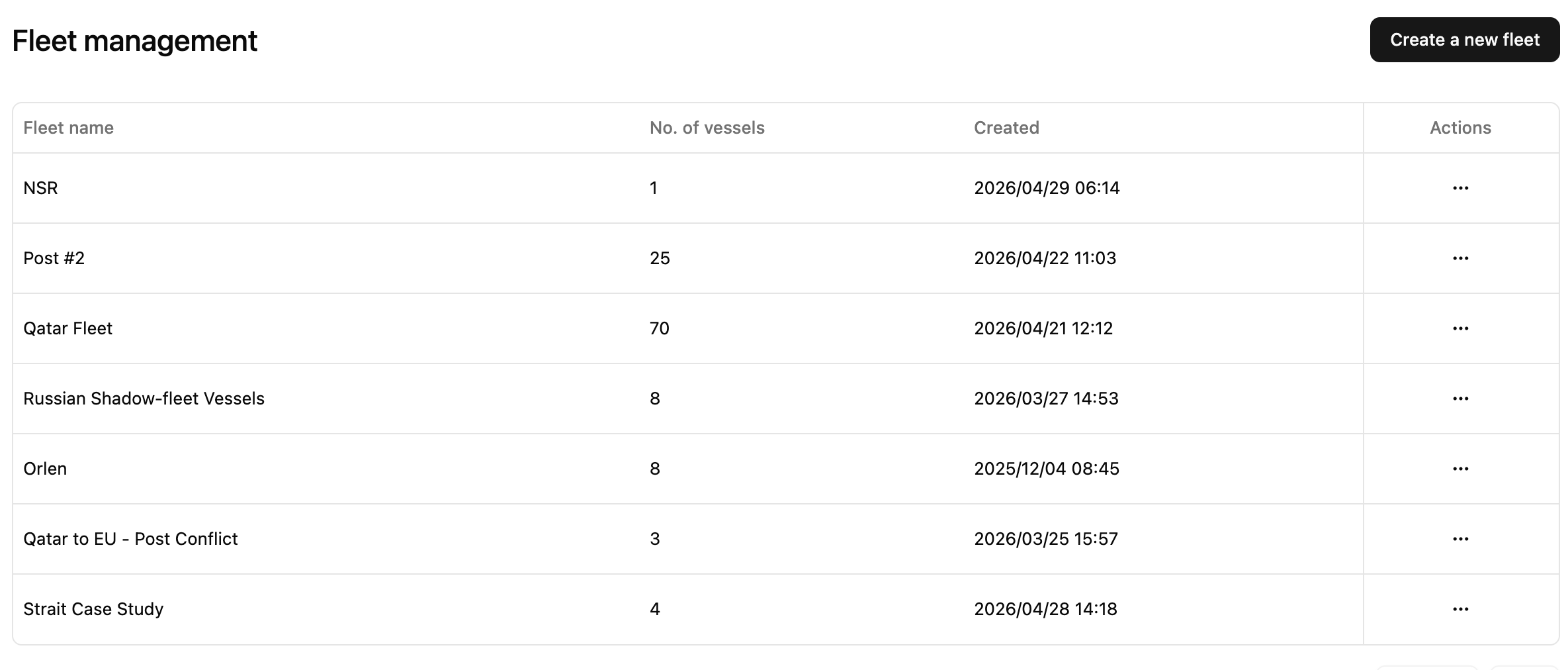
2. Streamlined Fleet Overview
The Fleet Management table provides an instant summary of your saved portfolios:
Vessel Count: Quickly see the size of each fleet, from a single ship ("NSR") to massive holdings like the 70-vessel "Qatar Fleet".
Creation Timeline: Track when each fleet was established to maintain a historical record of your monitoring priorities.
Centralized Actions: Use the "Actions" menu to edit, delete, or refine your groups as market conditions shift.
3. Creating New Insights
With the "Create a new fleet" button, Orbify gives you the flexibility to react to new market developments instantly. Whether it’s a new shipping joint venture or a sudden geopolitical change, you can assemble a monitoring group in seconds to begin receiving targeted updates and analytics.
Why Custom Fleets are a Game Changer
In a market with hundreds of active vessels, information overload is a constant risk. Fleet Management ensures that your dashboard, alerts, and analytics are always filtered through the lens of your own portfolio. It turns a massive stream of maritime data into a manageable, strategic asset for your team.